


VOLUMETRICS
vɒl.juːˈmɛ.trɪks
Noun
1. Volumetrics simulate the interaction between light and participating media, calculating how photons scatter, absorb, and decay throughout three-dimensional space. This means lighting is no longer evaluated only on surfaces, but continuously across the volume between them.
2. In other words, it’s not about lighting objects - it’s about lighting the nothing between them. (It is more important than it seems like)
Why we created this addon ? We wanted to have all volumetrics we need in one place.
Fog = Ground & Clouds = Sky. Together they create Atmosphere.
We decided to make them fully procedural, so users have as much control as possible. The volumes side of Blender and its addons has always felt quite limited to us.
We also wanted volumetrics you can actually preview in solid mode (we never thought it would work this well), while making sure they look as realistic as possible - both in solid and, more importantly, in the final render.
FOG
| CLOUDS
Solid mode preview
Easy to use with full control
Density. Black is 0%, white is 100% and shades of gray represent different levels depending on how dark they are.
Noise. Increasing black levels increases noise contrast, resulting in a stronger overall effect.
Boolean. The more black there is, the higher the contrast. Depending on which side the black is on, the effect is inverted.
Any shape. You can shape the fog however you need in Edit Mode. Scaling in Edit Mode keeps the noise texture at a consistent size you choose, while scaling in Object Mode scales the texture proportionally with the object.
Empty Boolean. The shape can be controlled using an empty boolean, which can be freely moved, scaled, and rotated. It also features a separate noise controlling the edges.
Noise & Transform. Click “Edit Text” to update the font, size and more. To change and reuse text themes, go to Site Styles. Full N-panel is in documentation.
Unlimited styles
Question you might have
How to change and reuse text themes, go to Site Styles ? Add paragraph text. Click “Edit Text” to update the font, size and more. To change and reuse text themes.
How to change and reuse text themes ? Add paragraph text. Click “Edit Text” to update the font, size and more. To change and reuse text themes, go to Site Styles.
How to go to Site Styles ? Add paragraph text. Click “Edit Text” to update the font, size and more. To change and reuse text themes, go to Site Styles.
How to change Site Styles ? Add paragraph text. Click “Edit Text” to update the font, size and more. To change and reuse text themes.
How to change and reuse text themes, go to Site ? Add paragraph text. Click “Edit Text” to update the font, size and more. To change and reuse text themes, go to Site Styles.
CLOUDS
FOG |
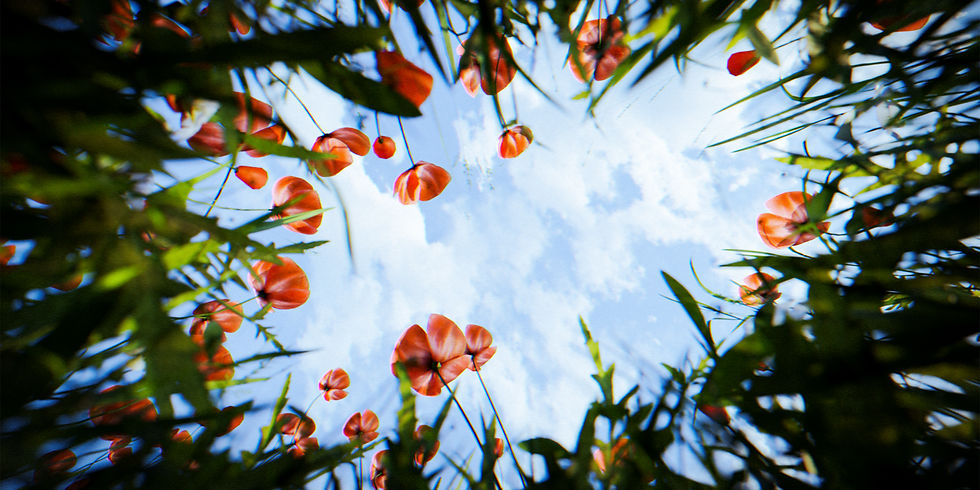
Procedural sky
A procedural sky helps you effortlessly create large-scale procedural clouds. You have full control over density, noise, and materials, and it also features an empty boolean setup.
Question you might have
How to change and reuse text themes, go to Site Styles ? Add paragraph text. Click “Edit Text” to update the font, size and more. To change and reuse text themes.
How to change and reuse text themes ? Add paragraph text. Click “Edit Text” to update the font, size and more. To change and reuse text themes, go to Site Styles.
How to go to Site Styles ? Add paragraph text. Click “Edit Text” to update the font, size and more. To change and reuse text themes, go to Site Styles.
How to change Site Styles ? Add paragraph text. Click “Edit Text” to update the font, size and more. To change and reuse text themes.
How to change and reuse text themes, go to Site ? Add paragraph text. Click “Edit Text” to update the font, size and more. To change and reuse text themes, go to Site Styles.
Procedural cloud
The procedural cloud helps you create custom-shaped clouds that can be edited in Edit Mode. Each cloud also allows individual control over density, noise, and material.
Clouds on curve
Clouds on Curve allow you to easily create stretched clouds that can be edited in Edit Mode. You can also adjust the thickness of individual points using Alt + S.

Question you might have
How to change and reuse text themes, go to Site Styles ? Add paragraph text. Click “Edit Text” to update the font, size and more. To change and reuse text themes.
How to change and reuse text themes ? Add paragraph text. Click “Edit Text” to update the font, size and more. To change and reuse text themes, go to Site Styles.
How to go to Site Styles ? Add paragraph text. Click “Edit Text” to update the font, size and more. To change and reuse text themes, go to Site Styles.
How to change Site Styles ? Add paragraph text. Click “Edit Text” to update the font, size and more. To change and reuse text themes.
How to change and reuse text themes, go to Site ? Add paragraph text. Click “Edit Text” to update the font, size and more. To change and reuse text themes, go to Site Styles.
Preset gallery
